The remote desktop industry has recently faced a surge in cyberattacks, exploiting vulnerabilities from credential theft to software exploits. This technical overview dissects the major vulnerabilities plaguing remote desktop solutions and explains how ISL Online’s architecture, particularly its Direct Connection feature, mitigates these risks.
Securing remote desktop connections has become paramount for organizations worldwide. In response to these escalating security concerns, ISL Online has emerged as a winner, providing robust solutions to tackle exposed vulnerabilities and ensure the safety and integrity of remote desktop connections. The RDP protocol enables remote desktop functionality by transmitting the interface of a remote system to a local device. Remote desktop solutions, however, are comprehensive software packages or services that utilize RDP or similar protocols to provide a full suite of features for remote access, including security measures, file transfer capabilities, and multi-user support. These solutions often extend the basic protocol with additional functionality to meet specific user or enterprise needs.
The Sophos Findings on RDP Vulnerabilities
The Sophos article “RDP Exposed – The Threat That’s Already at Your Door” emphasizes a pressing issue: RDP, a widely used protocol for remote desktop connections, has become a significant target for cybercriminals. The study reveals alarming statistics, with millions of login attempts recorded on honeypots set up to mimic vulnerable RDP connections. According to Sophos’ 2023 Active Adversary Report, RDP played a role in 95% of attacks during the first half of 2023, up from 88% the previous year. These attacks are not only frequent but also highly sophisticated, utilizing various techniques beyond brute-force attacks to obtain credentials and gain unauthorized access to corporate networks. The misuse of RDP for internal access was observed in 93% of cases, with external use also remaining a considerable threat due to its potential to bypass firewall protections.
The Shodan search engine, which indexes online devices and their services, at the time of writing lists over three million results for “remote desktop” and closer to five million for devices accessible over port 3389, suggesting millions of potential targets for RDP password guessing. The widespread abuse of RDP is partly due to its pre-installation on most Windows operating systems and the prevalence of single-factor authentication, which simplifies attackers’ tasks.

Sophos’ analysis highlights the urgency for securing RDP connections against unauthorized access. The report recommends enforcing strict usage policies for RDP, including auditing, limiting its use, and implementing Multi-Factor Authentication (MFA). Windows 11 has introduced default settings to counter brute-force attacks more effectively, such as enabling an Account Lockout Policy after multiple failed login attempts. Given the evolving threat landscape, businesses must enhance their cybersecurity practices by understanding the risks associated with widely used protocols like RDP and taking proactive steps to secure their IT infrastructure.
Understanding the Vulnerabilities
Remote Desktop Protocol (RDP) faces several significant vulnerabilities that can be exploited by attackers:
- Credential Theft: Phishing and keylogger attacks often target remote desktop credentials. Once obtained, attackers can gain unauthorized access, compromising data integrity and system availability.
- Man-in-the-Middle (MitM) Attacks: These occur when an attacker intercepts communications between two systems. In the context of remote desktop services, MitM can be used to steal data or inject malicious code.
- Exploits of Software Vulnerabilities: Remote desktop software may contain vulnerabilities that, if not patched, can be exploited to gain unauthorized access or execute arbitrary code on the remote system.
- Session Hijacking: Attackers may hijack a remote desktop session to gain control of a system. This involves taking control of an active RDP session, allowing attackers to impersonate legitimate users.
These vulnerabilities highlight common attack vectors that threaten RDP security. Credential theft can directly enable unauthorized RDP access, while Man-in-the-Middle attacks may compromise the integrity of RDP sessions. Software vulnerabilities in RDP can be exploited for unauthorized access, and session hijacking threatens the control and confidentiality of RDP sessions. Securing RDP against these vulnerabilities is crucial to protect remote access integrity.
How ISL Online Addresses Security Concerns
ISL Online stands at the forefront of addressing remote desktop security concerns by offering a secure and reliable alternative to traditional RDP connections. With advanced security features, ISL Online ensures that organizations can conduct their operations without the looming threat of cyberattacks.
- End-to-End Encryption: ISL Online employs AES 256-bit encryption to safeguard data transmission, ensuring that any information exchanged during a remote desktop session remains confidential and protected from interception.
- Two-Factor Authentication (2FA): To combat the risk of password brute-forcing, ISL Online implements two-factor authentication. This additional security layer requires users to provide two forms of identification before access is granted, significantly reducing the risk of unauthorized entry.
- Port Filtering: ISL Online allows your firewall to remain intact as ISL Light automatically initiates an outgoing connection using ports 7615, 80, or 443. Unlike RDP, ISL Online doesn’t need port-forwarding or any configuration for the firewall.
- Function Transparency (No Stealth Mode): ISL Online is designed to ensure transparency, allowing clients to always follow the actions performed by the helpdesk operator, preventing any background operations without client awareness.
- Brute Force Intrusion Protection: ISL Online has configured rate limiting for login and connection attempts to prevent brute-force attacks. ISL Conference Proxy servers (ICP) limit the maximum number of failed login attempts for a user or for a specific address in a defined period of time.
ISL Online’s comprehensive security features address the key vulnerabilities associated with remote desktop solutions, providing organizations with a secure environment for remote access. Read more about how we tackle security concerns with a long list of countermeasures in the ISL Online Security Statement.
ISL Online Direct Connection: A Secure Alternative to RDP
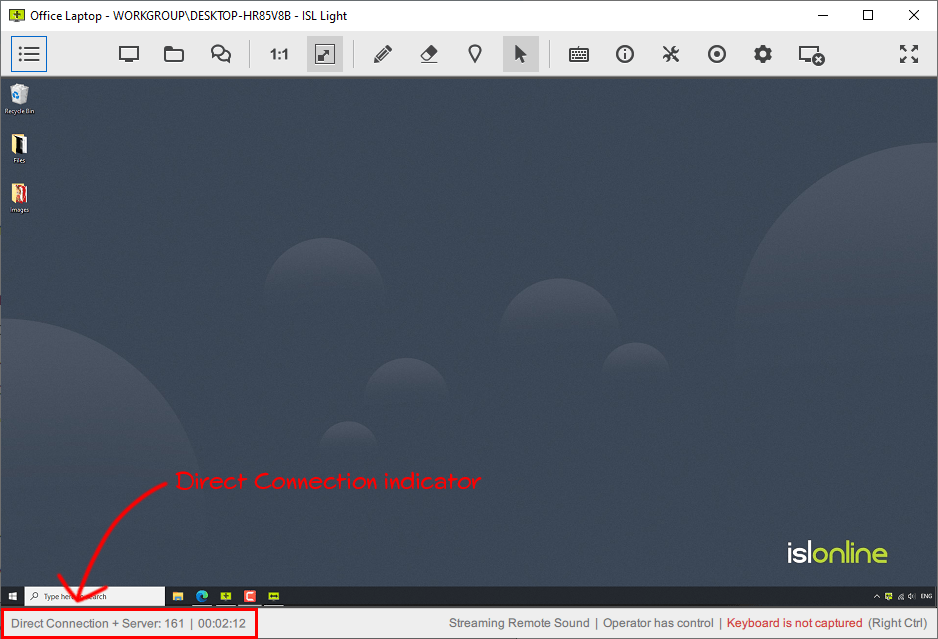
Direct connections are known for their speed advantages compared to routed connections. ISL Online automatically selects the most effective connection technique, either by establishing a session tunnel directly between the local and remote computer or via a routed connection.
For example, with the direct connection feature, data exchange is established directly between two computers in the local network, avoiding routing over the nearest server, which can be over 100km away. This improves speed performance, making it comparable to RDP session speed but with significantly enhanced security. Regardless of the connection type, all ISL Online connections are safeguarded with symmetrical AES 256-bit end-to-end encryption, meeting the highest industry security standards.

ISL Online offers various types of direct connections. Internal connections, presented in the above diagram, serve as an alternative to RDP sessions within the same network. Additionally, ISL Online supports external direct connections via a Cloudflare TURN server, which is often closer than an ISL Online server. This ensures improved session speed without compromising security.
Read more about ISL Online direct connections
Routing an RDP Session via ISL Online: Is There a Benefit?
ISL Online offers a feature that enables establishing a tunnelled RDP connection to a Windows computer within a remote network without requiring VPN tunnelling or firewall modifications. This is beneficial in cases where external RDP attacks occur, as routing the RDP session through the ISL Online tunnel mitigates the risk of such attacks.
However, it is important to note that most reported RDP attacks typically originate internally. Therefore, before enabling this feature, it is crucial to adhere to RDP best practices, such as limiting user access, auditing access logs, and implementing multi-factor authentication (MFA). The ISL Online RDP tunnelling and “Connect to existing RDP session” features do not provide protection against internal RDP attacks.
Read more about ISL Online tunneled RDP connection
Other Benefits of ISL Online Compared to RDP
- Ease of Use and Installation: ISL Online is easy to use and install, without the need for advanced configuration.
- Cross-Platform Compatibility: It works across various platforms, allowing access to Windows, macOS, Linux, iOS, and Android devices.
- No Router Configuration Needed: ISL Online does not require router configuration.
- Multi-User Environment Support: It works effectively in multi-user environments.
- Remote Reboot Capability: ISL Online allows safe remote rebooting of computers.
- Communication Tools: It includes features for chat, video, and voice calling, enhancing the support experience.
Conclusion
The vulnerabilities exposed by the widespread use of RDP, as highlighted by Sophos, call for an urgent shift towards more secure remote desktop solutions. ISL Online’s suite of security features not only addresses these vulnerabilities but also provides organizations with the confidence to conduct their remote operations securely. By choosing ISL Online, companies can mitigate the risks associated with RDP, ensuring that their data and systems remain protected against the ever-evolving landscape of cyber threats.
Leave a Reply