A picture is worth a thousand words

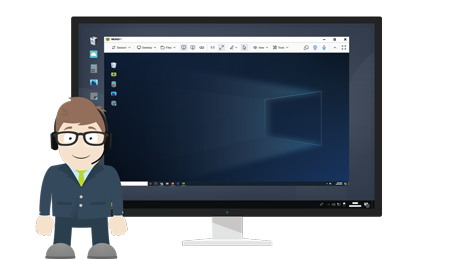
Instead of endlessly explaining your point, show meeting attendees slides, share your desktop or an application, and encourage everyone to add comments to the content. Together with the integrated VoIP and video communication such meetings can be compared to a real face-to-face interaction. Online meetings can save your organization the unnecessary traveling and time spent on traditional meetings. Try it free [...]

easy setup

Easy Setup

Online meetings, webinars and e-learning courses over the internet.
ISL Groop meetings are started on demand without any prior settings of the computer. A small executable file automatically launches, installs and configures itself. It works with your exisitng firewall and does not require a computer restart.
 
maximum security

Maximum Security

Highest security standards for your data exchange.
ISL Groop meetings use maximum security available. All data connections are encrypted with SSL using symmetric 256-bit keys. X.509 certificates are used to guarantee the authenticity of transmission.
 
audio and video

Integrated Audio and Video

Software videoconferencing solution to see and hear your colleagues, partners and clients.
Lead many-to-many audio and video communication to enjoy live and effective meetings. The audio stream of any attendee can be muted/unmuted, as well as their video shown, hidden or replaced by a personal image.
 
share application

Share Any Application or Desktop

Share your entire desktop or a selected application with meeting participants.
Add live content to your presentation by sharing your entire desktop, a selected region or an application with other attendees. Share any application or web content important for your business and enhance the interactivity of the presentation.
 
presentation content

Presentation Content

Show meeting participants your PowerPoint presentation over the Internet.
Besides sharing live content, slides can easily be created by importing an existing PowerPoint file, inserting the clipboard content, clipping your screen, or making a snapshot from a shared live content stream. Create presentation content in no time!
 
annotations

Annotations

Highlight the important parts of your presentation by using annotation tools.
For enhanced communication, both presenters and participants can annotate and comment on slides as if they did on a whiteboard. Insert a freehand drawing, use a marker, and add an arrow to point out an important part of the slide content, or add comments using the text tool.
 

Overview

Visit the ISL Groop's home page to learn basic information on the product. Learn more [...]


How it Works

Learn how ISL Groop works. Learn more [...]


Learning Center

Learn everything about ISL Groop. Learn more [...]


All in One

Get 4 for the Price of One

Be encouraged to try all our products! As ISL Online ALL in ONE is a bundle of 4 products, opening one test account or purchasing one license will indeed authorize you to use them all. Try them free. [...]


Quick Links