The Most Reliable Remote Desktop Softwarelink
ISL Light is a secure and reliable remote desktop application that allows you to support your customers or access unattended computers.




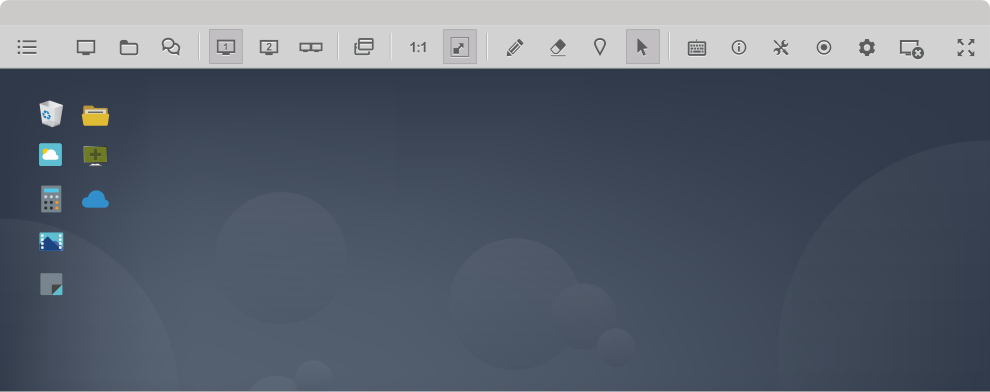
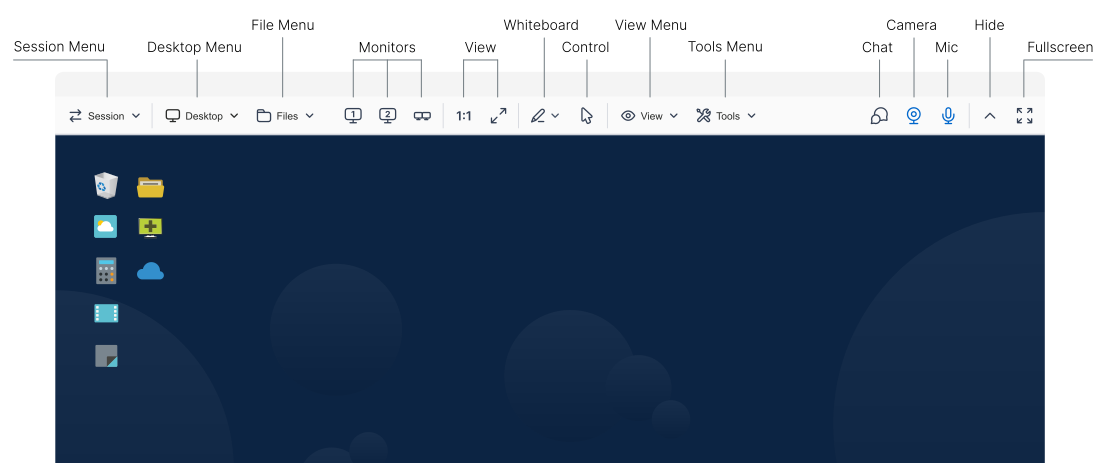
Access Unlimited Computerslink
Set up permanent access by installing a remote access agent on any computer. Manage and control an unlimited number of unattended remote computers.
Learn more about unattended access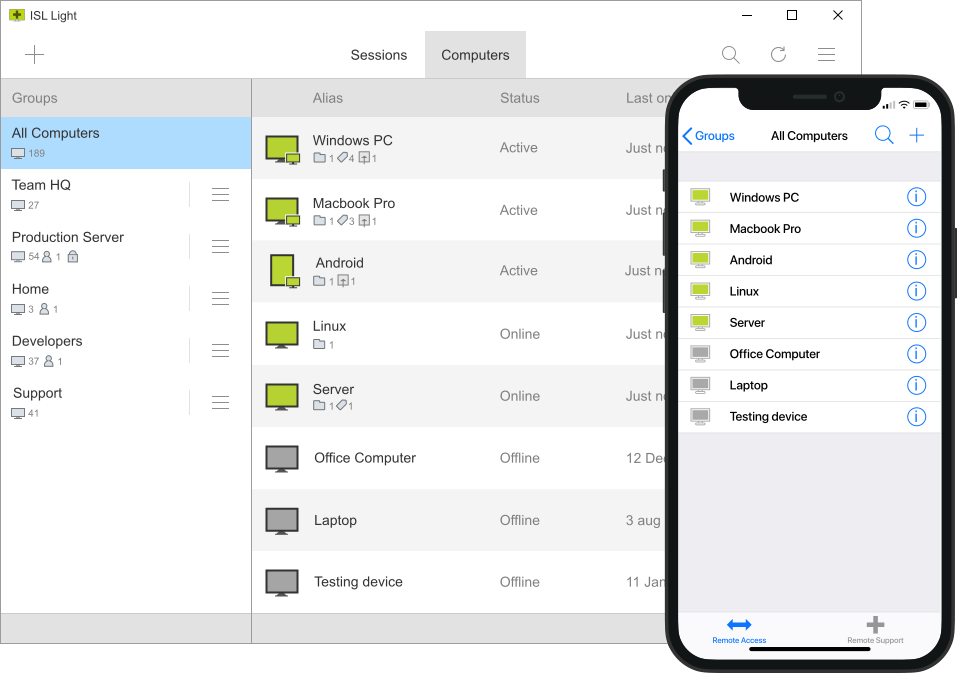
Custom Deployment
Save time and effort by installing the remote access agent on multiple remote devices, ensuring both efficiency and consistency.
Learn moreAdministration
Effortlessly manage users, groups, and settings with our administration tools for streamlined operations and enhanced security.
Learn moreConnect via RDP/SSH
Forget complex VPN and firewall changes—effortlessly access remote computers via Remote Desktop Protocol (RDP) or Secure Shell (SSH).
Learn moreExpect Maximum Securitylink
ISL Online guarantees top-tier security with end-to-end encrypted (E2EE) data transfer between operators and clients, using RSA 2048/4096-bit key exchange and AES 256-bit encryption. Our platform is certified under ISO/IEC 27001:2022, the global standard for information security management systems, ensuring rigorous risk management and data protection.
Learn more about security
ISO/IEC 27001:2022 Certified Information Security
ISL Online complies with ISO/IEC 27001, the global standard for information security management systems (ISMS). This certification demonstrates our commitment to managing data security risks, ensuring that we follow best practices and principles to protect your data comprehensively.
Advanced Encryption
Secure data transfer is ensured with RSA 2048/4096-bit key exchange and AES 256-bit encryption. STUN/TURN servers facilitate the establishment of direct connections, while signaling remains on the ISL Online servers. ECDSA P-256 handles encryption key negotiation for these direct connections.
Enhanced Security Controls
Robust security features include two-factor authentication (2FA), single sign-on (SSO), customizable password policies, detailed access management, and permission settings. These tools provide full control over data access and add an extra layer of security to protect your sensitive information.
Integrate with your RMM Toolslink
ISL Online is more than a remote desktop solution. Built for IT teams and managed service providers, it integrates with leading RMM and ITSM platforms to support streamlined, centralized operations.
Learn more about integrations








Success Storieslink
Discover how companies like yours efficiently manage remote devices and deliver remote support to their customers and employees using ISL Online software. Gain insights from their experiences to drive your business forward.

Konica Minolta
"We self-host ISL Online remote sessions, keeping all session data within a closed corporate environment."
Read more
Mitsubishi Chemical Systems
"With ISL Light, we provide remote support to over 32,000 employees."
Read more
Singtel Satellite
"ISL Online turns out to be an exceptionally efficient remote access tool in low bandwidth environments."
Read more
Nissay
"With ISL Online, we shifted to remote sales and registered a fourfold increase in customer consultations at the Shibuya branch office."
Read more
Alterdata
"ISL Online was the only one to provide customisation in terms of security and layout with transparency and efficiency."
Read more
Terpel
"We are very happy with the support tool and have already received a positive feedback from our customers."
Read more
Grupo Fame
"We were impressed with how easy and quick the adaptation process to ISL Online was for our service desk team."
Read more
Salvation Army
"Remote vendors have commented on how much faster and easier it is to use ISL Online remote support tool."
Read more
TransMilenio
"ISL Online is very easy to install, it is intuitive to use and compatible with all the platforms."
Read more
Norgas
"We needed a support tool that would give us the agility and flexibility to handle support cases quickly from any location."
Read moreRecommended by Our Userslink

Users' Feedback is What We Value the Mostlink


"All around easy to use, be it on client end, agent end or supervisor/admin. Small file size so the set up on customer end is swift and we can go to resolving the issue quickly."
Klemen K., Team Leader
Banking

"I love this software. The customer service is amazing and anything I need help; they are always there to help me."
Cecil D., IT Coordinator
Education Management

"ISL Light is one of the rare remote tools that supports multi-monitors super easily, which was one of the most important features I looked for."
Verified User, Head of IT
Information Technology

"Numerous features that I haven't seen in other commercial software like connecting via Microsoft's RDP, better control over image/quality settings, ability to change resolution, ability to split different monitors to different windows and most importantly - simulate text feature."
Amir A., IT Team Lead
Computers & Gaming
"ISL is extremely easy to deploy. It is versatile and works on pretty much ANY OS. I use it daily on Linux (OpenSUSE) and Windows."
Adam G., Director
Hospital & Health Care
"I am highly impressed with the speed and efficiency of their software. Having used remote access software from various major brands, I can confidently say that ISL stands out, especially in terms of quick access and swift screen redraws at the technician's end."
Luis P., IT Manager
Computer and network security
"This is so easy to install and has a very light footprint on the computer it is running on and is great that it works on a Mac or a Windows PC or Server."
Martin M., IT Manager
Apparel & Fashion
"We often carry out multi-session remote maintenance, where we manage up to 8 devices at the same time. The software always ran 100% reliably. No crashes, no problems, everything fits perfectly."
Andreas S., Head of IT
Information Technology and Services
"Brilliant, we've been with them for 4-5 years now after switching from Log me in. Its very easy to use, quick to connect to users machines and never seems to freeze or have connection issues, which is vital to our business."
Gary P., Managing Director
Hospital & Health Care

"No version hassles like competitors or extreme pricing for features. It has an API so we can nicely integrate it in our website so we can create easy ready to go sessions for clients without needing to pass ID's and passwords etc."
Bart V., CEO
Information Technology and Services
"I love that you can self host ISL and your license comes with everything without a bunch of addons. The service has been super stable and easy to administrate/update with no real issues."
Kris K., CEO
Information Technology and Services
"Easily the best IT Tool I have in my "kit bag" it has all I need to help support my end users on both Windows and Apple computers, as well as Mobiles."
Stuart S., IT Director
Information Technology
"Overall, this has been a great tool. I have used many other software in this field but so far this one is the best value."
Walter W., Network Administrator
Commercial Real Estate
"What I like most about ISL is the ease of connection, the environment and file transfer, it has many additional utilities, one of the ones I use the most is writing text from the clipboard for when it doesn't allow pasting on the type of screen."
Aaron A., IT Support
Computer Networking
Try 15 Days For Free
Enjoy your new remote desktop experience!
All features included. No credit card required.

Bundle with PDQ: Secure, Patch, and Manage Devices
Discover PDQ Connect - a modern tool for managing remote and local devices. Automate deployments with prebuilt and custom packages, gain essential inventory insights, patch vulnerabilities automatically, and support end users with built-in remote desktop.